

Dashboard
The Dashboard is the landing page after login. It holds three things: a pair of shortcut cards (File Manager and Activity), the Available Workflows list, and — if your account has access — an Experimental section.
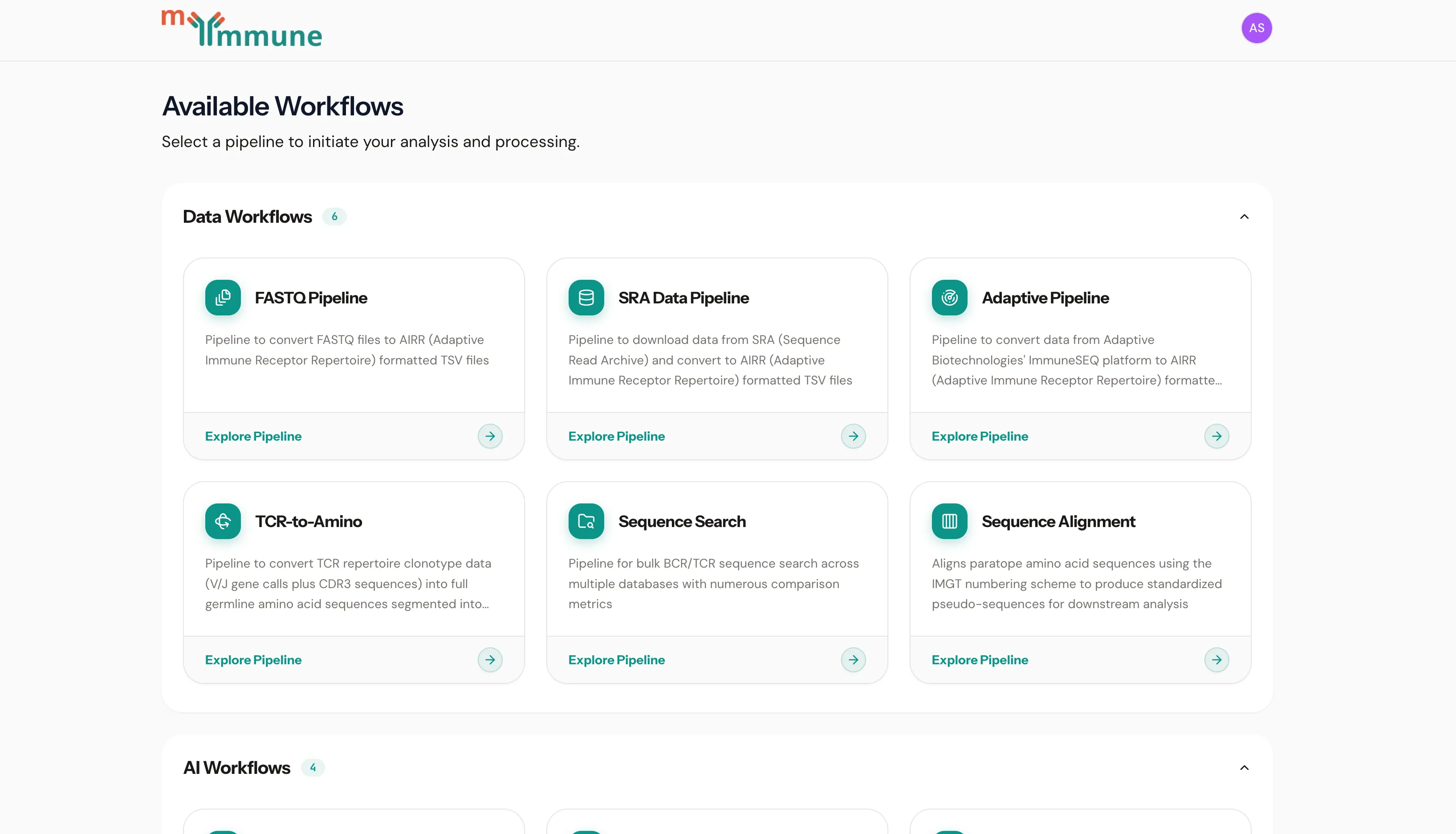
Shortcuts
Section titled “Shortcuts”Two cards sit above the workflow list. Both are also reachable from the top navigation bar on any page.
| Card | What it opens |
|---|---|
| File Manager | Everything you have uploaded and everything your jobs have produced — download files, or reuse an existing input on a new job |
| Activity | Every job you have run, across all pipelines, in one list |
Available Workflows
Section titled “Available Workflows”Workflows are grouped into collapsible sections — normally Data Workflows (getting raw instrument or repository data into AIRR format) and AI Workflows (analysis on top of processed AIRR data). Click a section header to expand or collapse it.
Both the grouping and the list itself come from your deployment’s configuration, so you only see the pipelines your account has been granted. If the page reports no workflows available, your account has no pipelines assigned yet — contact your administrator.
Data Workflows
Section titled “Data Workflows”| Pipeline | Description |
|---|---|
| FASTQ Pipeline | Convert FASTQ files to AIRR-formatted TSV files with V(D)J gene calls |
| SRA Data Pipeline | Download data from SRA (Sequence Read Archive) and convert to AIRR format |
| Adaptive Biotech Pipeline | Convert data from Adaptive Biotechnologies’ immunoSEQ platform to AIRR format |
| TakaraBio to AIRR | Convert Takara Bio Cogent NGS Immune Profiler output into MyImmune-compatible AIRR files |
| TCR to Amino Acid Sequence | Convert TCR repertoire clonotype data (V/J gene calls plus CDR3 sequences) into germline amino acid sequences |
| Antibody Sequence Restoration | Restore missing N-terminal (FR1) and C-terminal (FR4) framework residues of antibody variable-domain sequences from germline V and J databases |
| Pseudo-Sequence Alignment | Align paratope amino acid sequences using the IMGT numbering scheme to produce pseudo-sequences for downstream analysis |
| Sequence Search | Bulk BCR/TCR sequence search across multiple databases with numerous comparison metrics |
AI Workflows
Section titled “AI Workflows”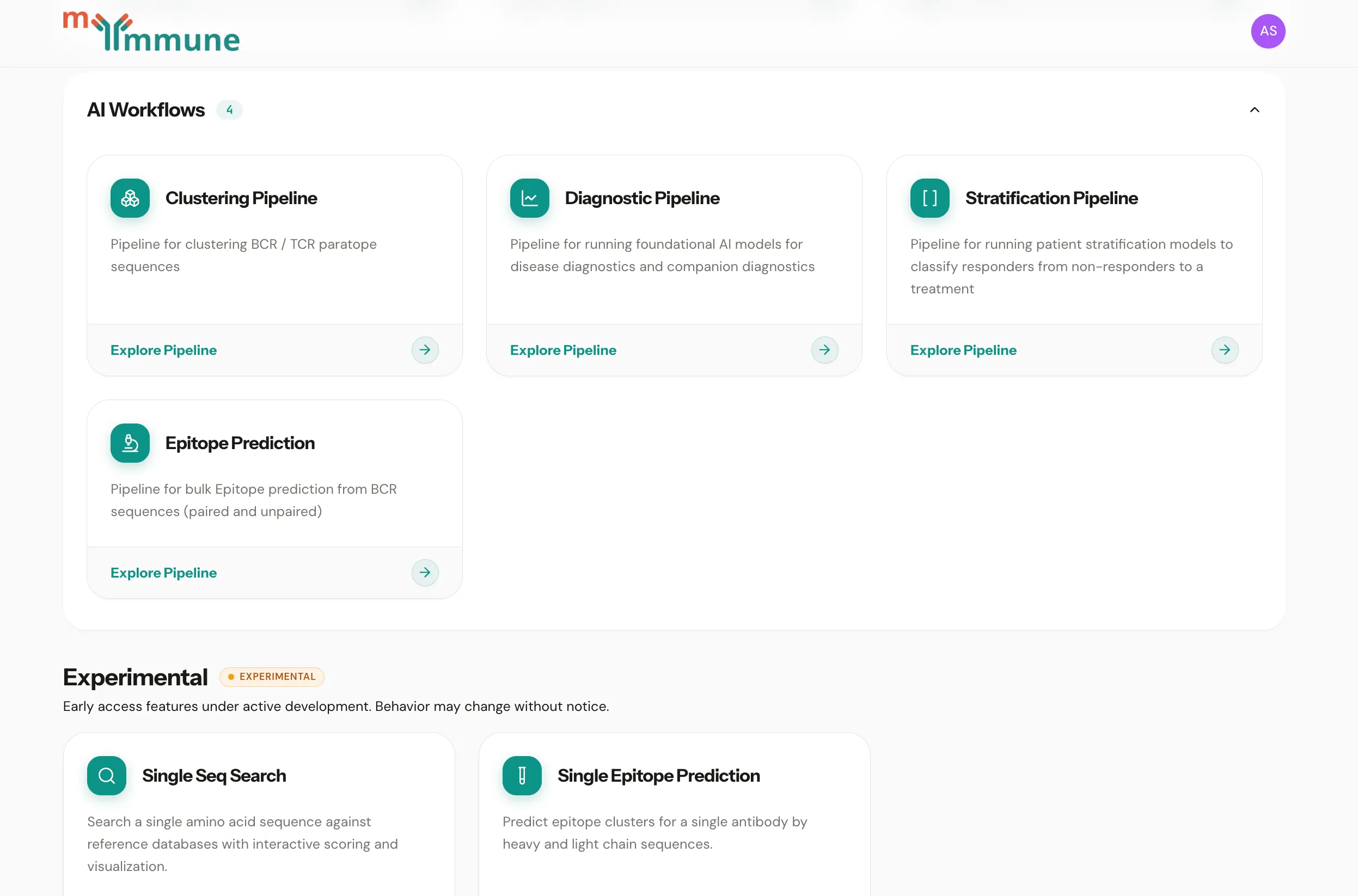
| Pipeline | Description |
|---|---|
| Clustering Pipeline | Cluster BCR / TCR paratope sequences |
| Stratification Pipeline | Run patient stratification models to classify responders from non-responders to a treatment |
| Paratope Tree | Render a cohort’s clustered paratope sequences as an interactive BLOSUM-distance tree over cluster representatives |
| Epitope Prediction | Bulk epitope prediction from BCR sequences (paired and unpaired) |
Experimental
Section titled “Experimental”The Experimental section only appears for accounts entitled to it. These tools are under active development and their interfaces and outputs may change without notice. See Experimental Features for details.
| Tool | Description |
|---|---|
| Single Sequence Search | Search a single amino acid sequence against reference databases with interactive scoring and visualization |
| Single Epitope Prediction | Predict epitope clusters for a single antibody by heavy and light chain sequences |
| AF3 Config Builder | Build an AlphaFold3 config from a UniProt accession for the antigen plus antibody heavy and light chains |
Navigating to a pipeline
Section titled “Navigating to a pipeline”Click any workflow card to open that pipeline’s job list. From there you can create a new job, review past runs, and manage presets. Where a pipeline has documentation configured, its card and job page also link straight to it.
Recent jobs
Section titled “Recent jobs”Each pipeline’s job list shows the status of every run (created, queued, running, success, failed) and refreshes automatically while jobs are in flight. See Job Management.
v1.41.2